
Try the talk example
Save an idea in today’s note. When Friday comes, open the talk’s topic to find your notes from the week and draft an outline.
Open the sample vault
Download and extract the English example pack. In Aino Desktop, use the folder menu at the bottom left, choose “Open existing Vault”, then select LifeOS Pro IPO Vault.
Capture an idea
In today’s note, save this bullet with the existing talk tag
Find it by topic
Open the topic index below and find your sentence under Flash. Use it to write the first line of your outline.
2. Themes/personal-brand-wot-sharing-meeting/wot-sharing-meeting.README.md
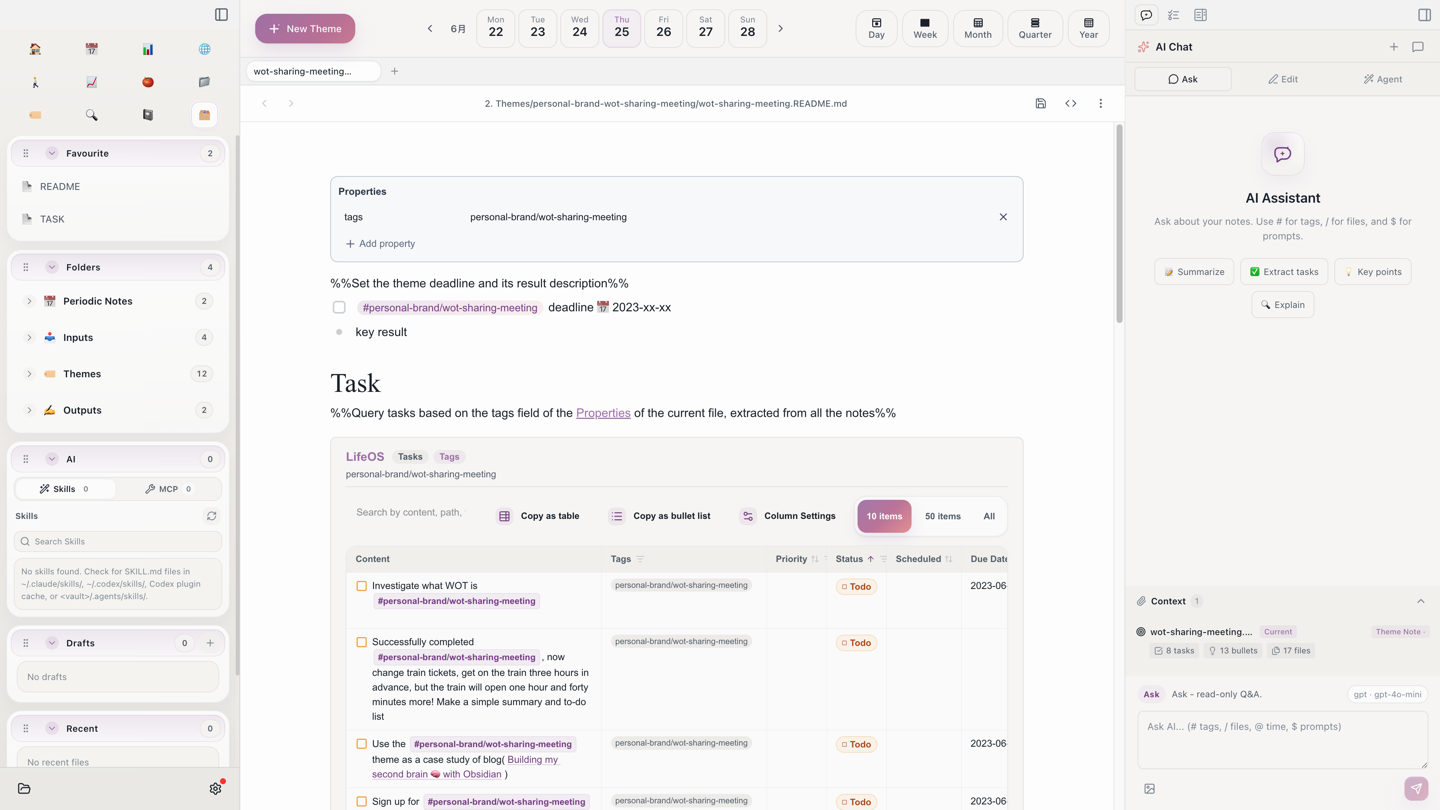
Draft the talk
Create a Friday talk outline in 3. Output/. Start with your question, add one example and finish with the point you want people to remember. This is how the IPO vault works: collect source material, develop ideas around a topic, then turn them into something you can share.
Start with Aino
Turn this approach into your everyday workflow
Try Aino Desktop Pro free for 7 days, open an existing Markdown vault, or start with the complete example vault from your email.
- 7-day free trial
- Portable Markdown
- Complete example vault by email